


Want to start creating videos but not sure where to begin? This hands-on beginner class is designed to get you shooting with confidence by focusing on the essential skills you actually need to start shooting and editing right away. By the end of the class, you’ll have a solid foundation in videography and the tools to bring your ideas to life.
Workshop Overview:
- Storytelling and planning
- Camera and production basics
- Shooting process
- Editing basics
Workshop Description:
The workshop begins with the foundation of every strong video: storytelling and planning. You’ll learn how to develop a simple concept, think through your message, and plan your shoot with the final video in mind. Understanding your goal from the start will help you make better creative and technical decisions throughout the process.
Next, we’ll cover the core camera and production basics you’ll use every time you shoot. This includes understanding your camera settings, focus, framing, lighting considerations, and capturing clean audio. We’ll also discuss how to prepare for a shoot, including location scouting and what to look for before you start filming.
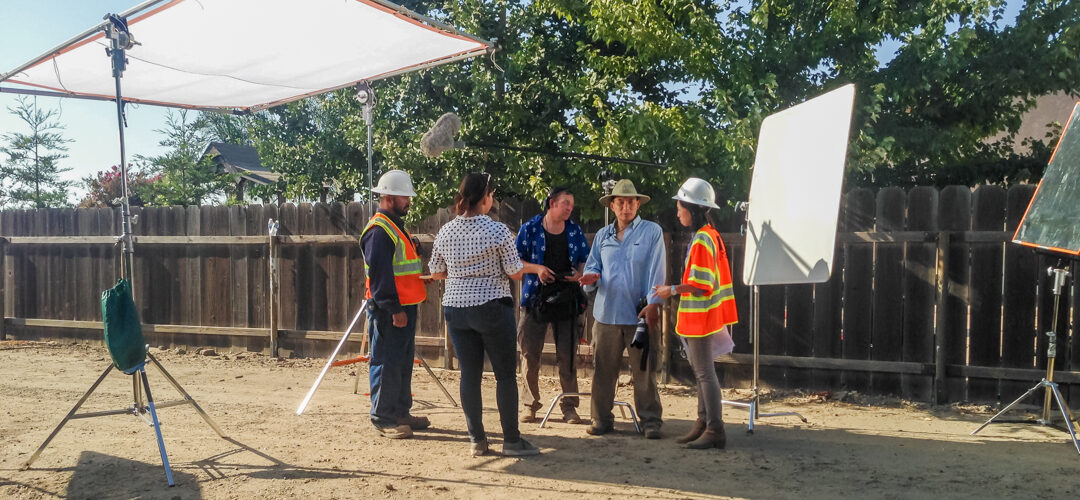
From there, we’ll move into the shooting process itself. You’ll learn about different shot types, how to capture footage that tells a story, when and why to shoot B-roll, and how to work with on-camera talent. This section is designed to help you feel more comfortable and intentional behind the camera.
Finally, the class will wrap up with an introduction to editing basics, so you can begin putting your footage together into a finished piece. We’ll go over the essentials of structuring a sequence, building a beginning and ending, using transitions, and preparing your final video for output.
Throughout the workshop, students will learn through a combination of instruction and hands-on practice, making it easier to apply concepts in real time. By the end of the class, you’ll have a strong foundation in videography and a clearer understanding of how to create compelling videos from start to finish.
What To Bring
- Camera with standard lens (24-70mm or 50mm), or smartphone.
- Fully Charged Battery
- Memory Card
- Audio – can use camera or smartphone audio, or wireless microphones if you have them
- Laptop or smartphone for editing; free version of Capcut or other editor (please download before the class)
Instructor Bio
Ming started shooting in high school with a small Minolta camera, in the days long before digital, autofocus and screen previews, when you had to manually focus, estimate exposure and develop film at a drive-through called Fotomat.
In the mid-1990s, Ming started shooting headshots and portraits professionally. Not long after, he entered the digital age, shooting both photos and video on the latest digital cameras. As an actor and fan of visual media, he developed his artistic sensibility by watching every film he could, by learning lighting and shot composition on film sets, and by applying his lessons to shooting in the field. By the mid-2000s, Ming was shooting photos and directing local videos for major clients such as Bain & Co., Green Dot, Wal-mart and the local Los Angeles international television station.
Today, Ming shoots a wide variety of subjects, including headshots, portraits, fashion, street, architecture, real estate, landscapes, Milky Way, night / neon and light painting. Ming also shoots video for clients and for social media. Ming is inspired to capture life’s special moments as well as nature’s amazing offerings.
Ming shoots primarily with Canon and Sony equipment, but also has experience with Nikon, Fuji, Minolta and Panasonic video cameras.
** The classroom is located on the second floor of our store. Access to the classroom is available via stairs. There is no elevator to the second floor.
By registering for this workshop, you are agreeing to our Terms and Conditions. Click here to view our Terms and Conditions.